- DATE:
- AUTHOR:
- The Altmetric team
Researcher Search improvements: your organization, front and centre
Our Researcher Search feature launched as a way to move beyond output-level search and understand the full picture of a researcher's attention.
We recently made affiliation and output counts visible in search results, making it easier to tell profiles with similar names apart. On top of that, our latest enhancement addresses a common challenge for organizations with many researchers, making it easier to scan through search results to find colleagues.
What's new?
When you search for a researcher in Explorer, profiles affiliated with your organization are now surfaced at the top of the list automatically — no extra steps needed.
The results are split into two groups: your organization first, then everyone else.
You can see this in the image below, which uses, as an example, a search by a user from Lancaster University.
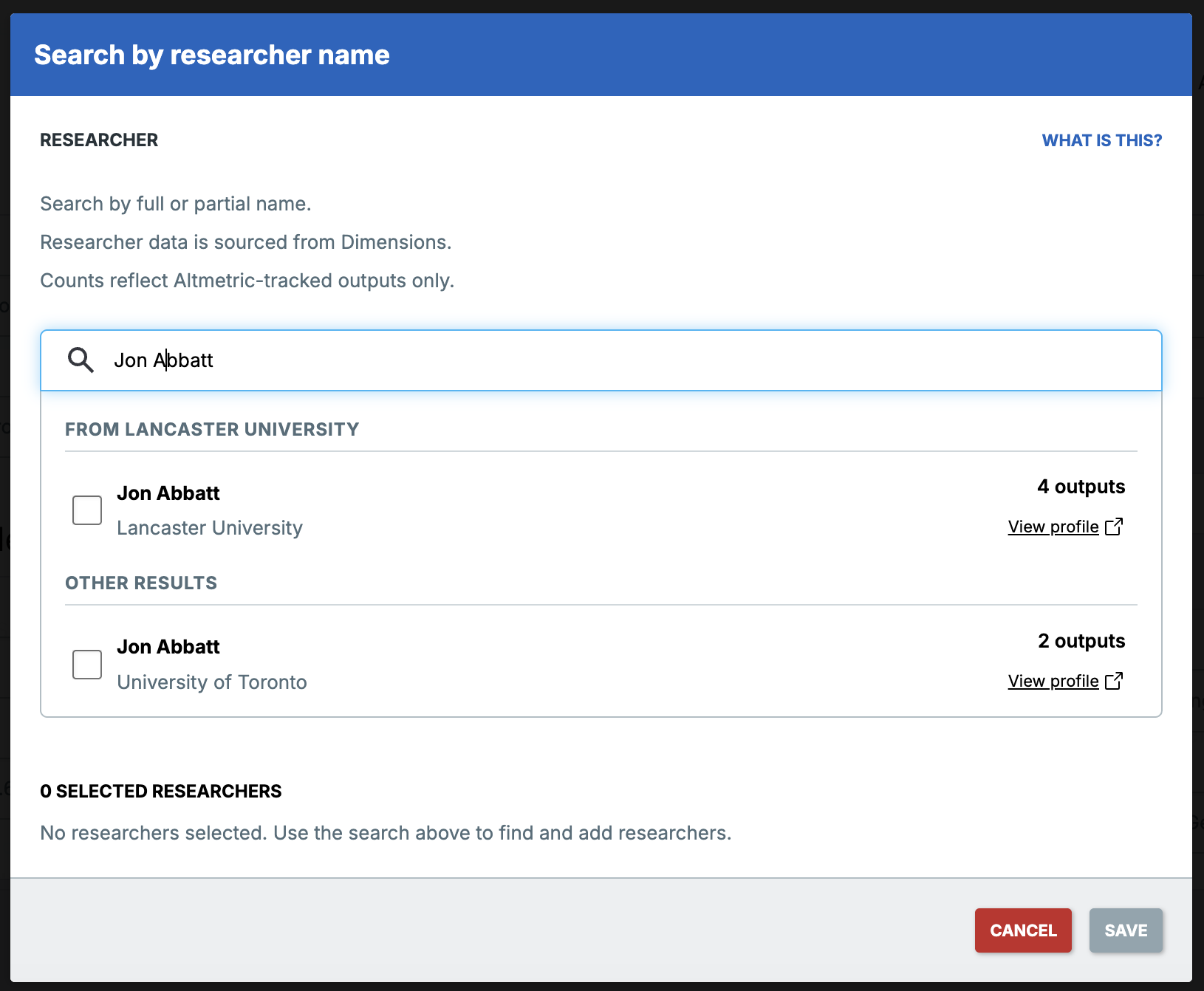
For common names, or researchers who have published under multiple profiles, this means you spend less time scanning and more time working with the data.
If no profiles from your organization match your search, the full list of results appears as a single list, as outlined here.
A note on data sources
Altmetric sources researcher profile and organization data from Dimensions.
Depending on how your organization data is set up in the Altmetric and Dimensions systems, you may see the prioritized view, or results may continue to appear as a single list as before. If you are not seeing prioritized search results and would like to find out more, please contact the Altmetric Support team.