- DATE:
- AUTHOR:
- The Altmetric team
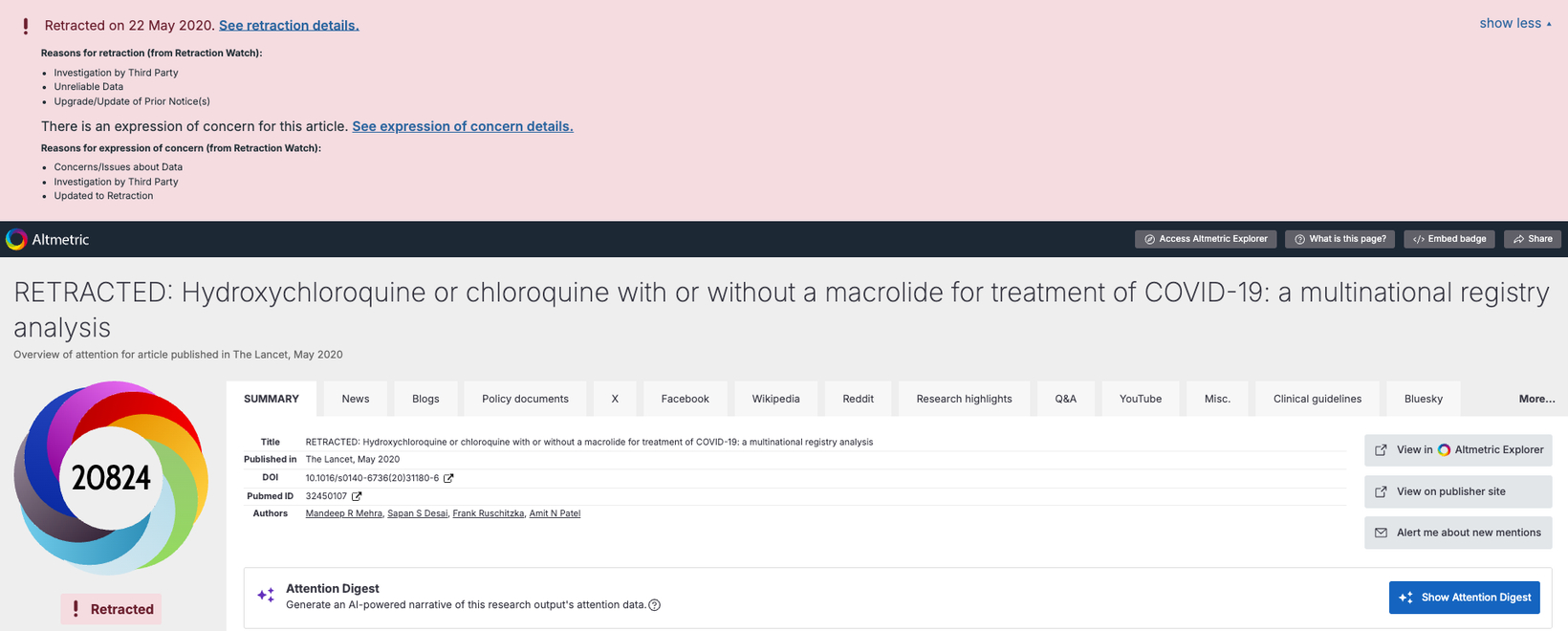
Adding context to attention data: retraction flags now available in Altmetric Explorer and Details Pages
Retractions and expressions of concern are some of the most impactful events in the life of a research output. Knowing about them changes how you read everything else Altmetric shows you about that output's attention. Until now, the only way to tell a paper had been retracted was if its title had been updated to say so: something that depends largely on individual publishers. Many retracted papers carry no such marker at all, even when they have accumulated significant attention.
Our newest feature closes that gap. We're now sourcing retraction and expression of concern data from Dimensions, so you can see these events flagged directly in Altmetric, without needing to cross-check publisher pages.
What's new?
Altmetric now flags retractions and expressions of concern across Explorer and Details Pages. It will help you:
See at a glance whether a research output has been retracted, without relying on publisher title updates.
Get the full picture of an output's attention, with more context to evaluate its Altmetric Attention Score and the attention it is drawing
Spot whether attention built up before or after a retraction or expression of concern
See this information align with what you already see in Dimensions, for a consistent view across both products.
This data is available to all Explorer subscribers; users with a subscription to one of the Altmetric APIs, or to the Altmetric GBQ dataset, will also find the data in these products.
Banners and flags on Details Pages are visible to everyone, including logged-out visitors; the detail shown in Details Page timelines is available to Explorer subscribers only.
Key features
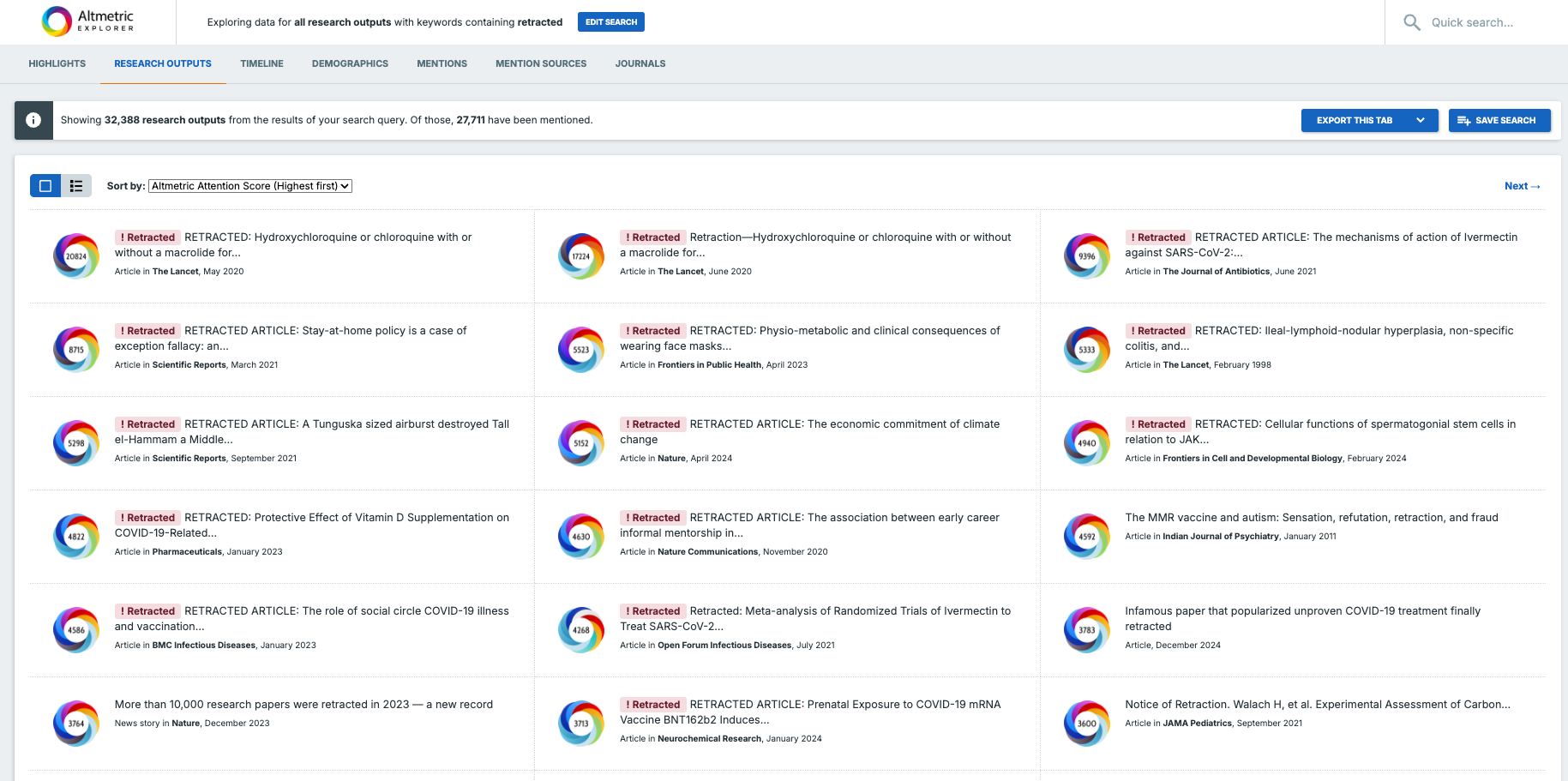
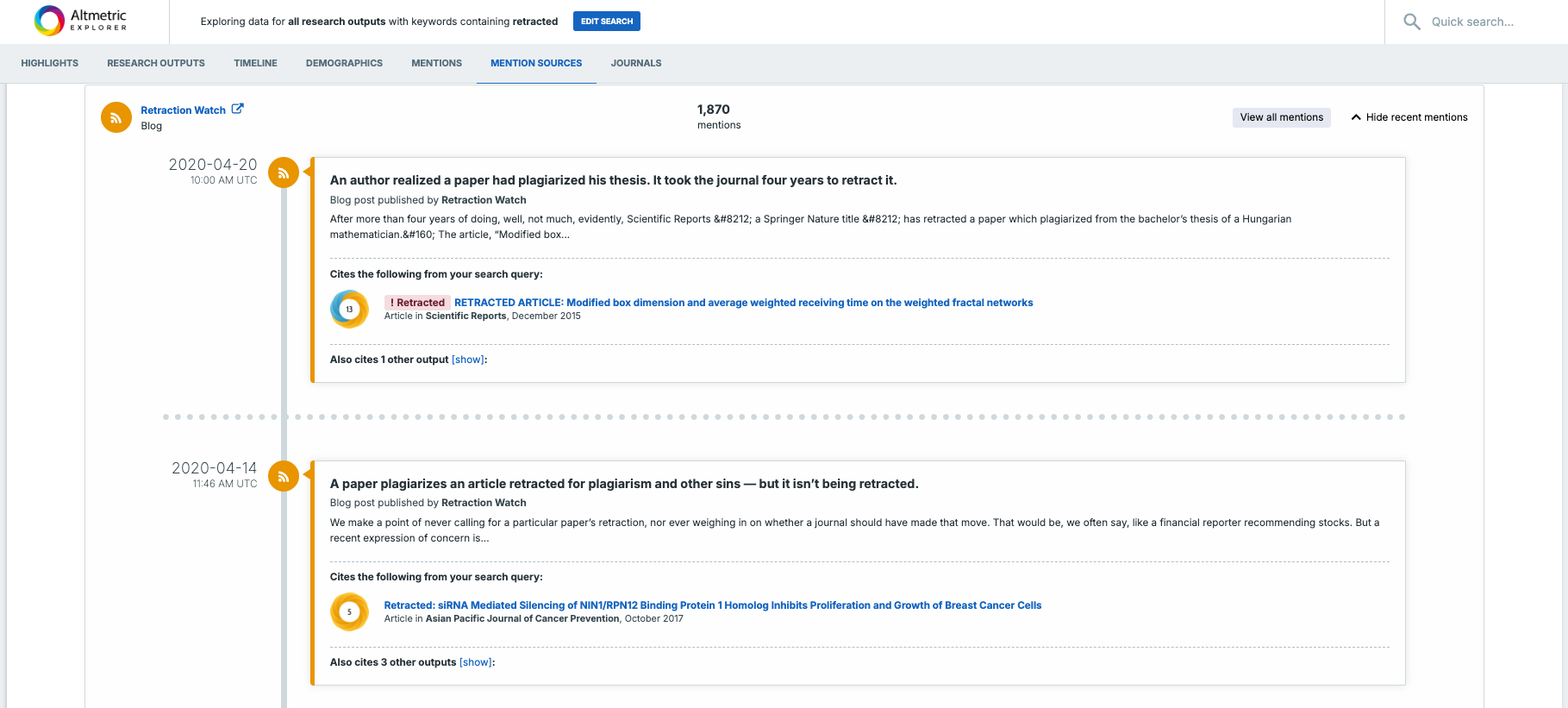
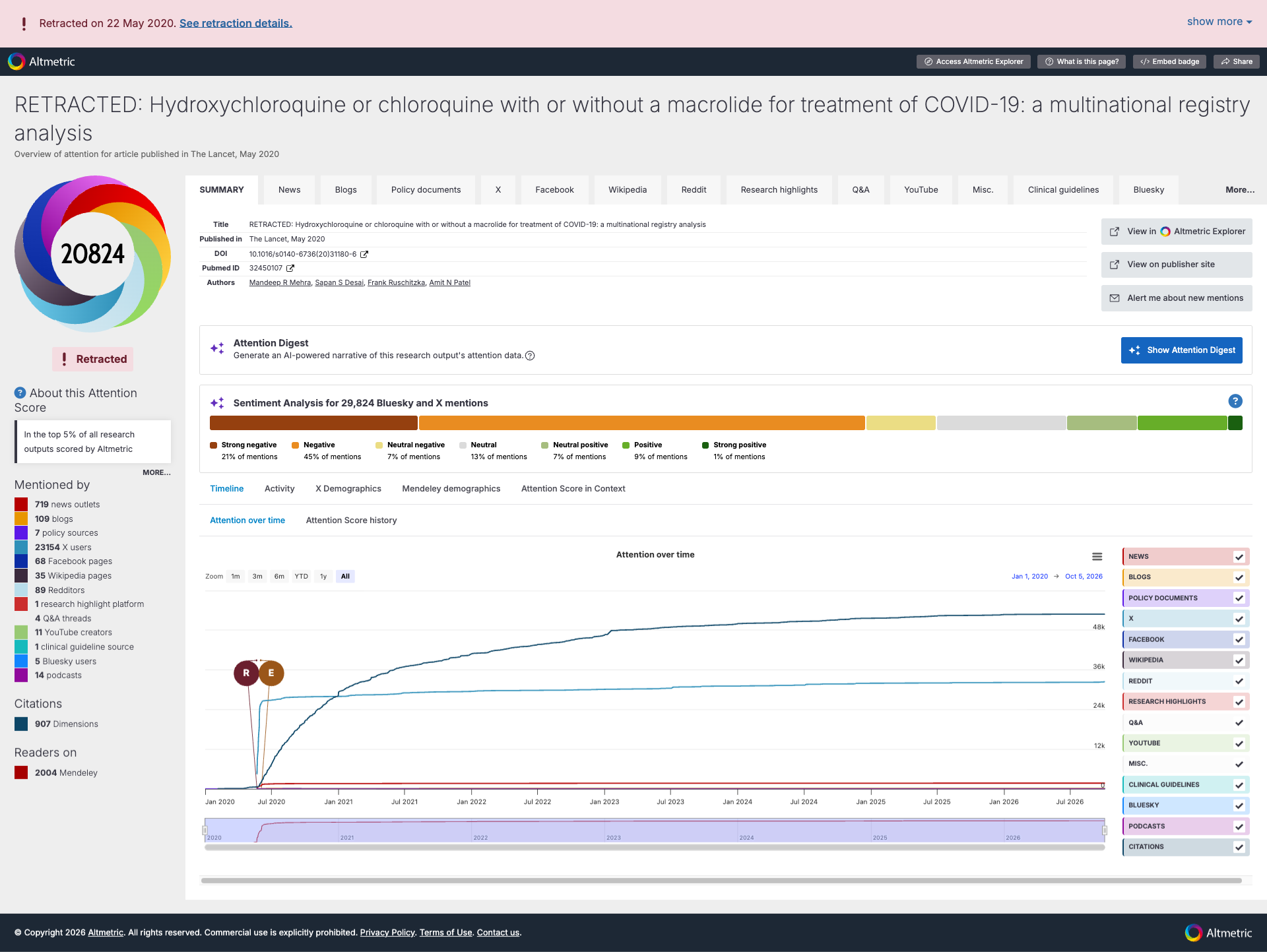
In Explorer, a red "Retracted" flag now appears next to an output's title, on every tab where titles are shown (Highlights, Research Outputs, Mentions, and Mention Sources). Shareable reports also display retraction flags.
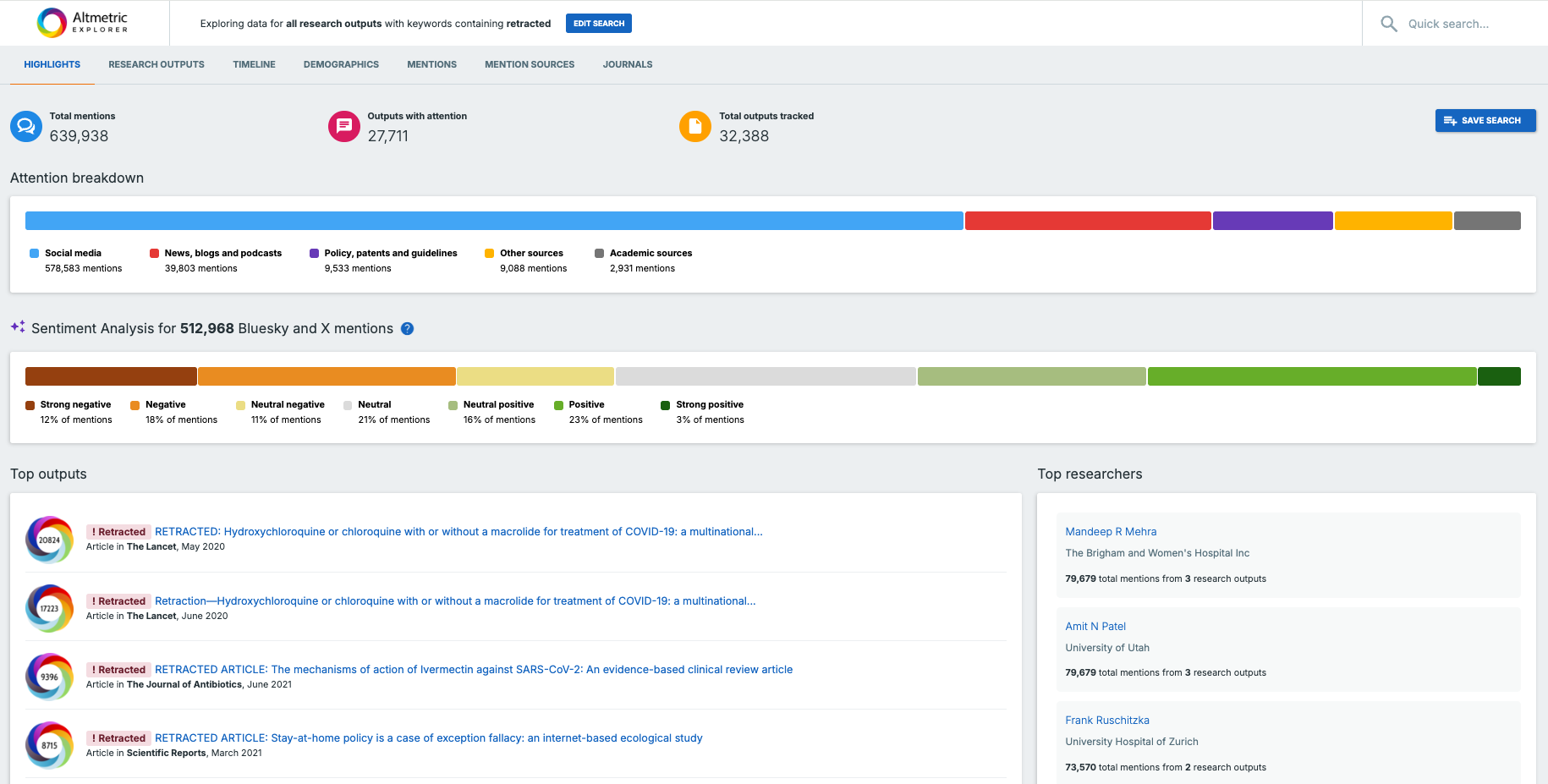
On Details Pages, you'll see two things: a flag just below the donut and score, and a banner at the top of the page.
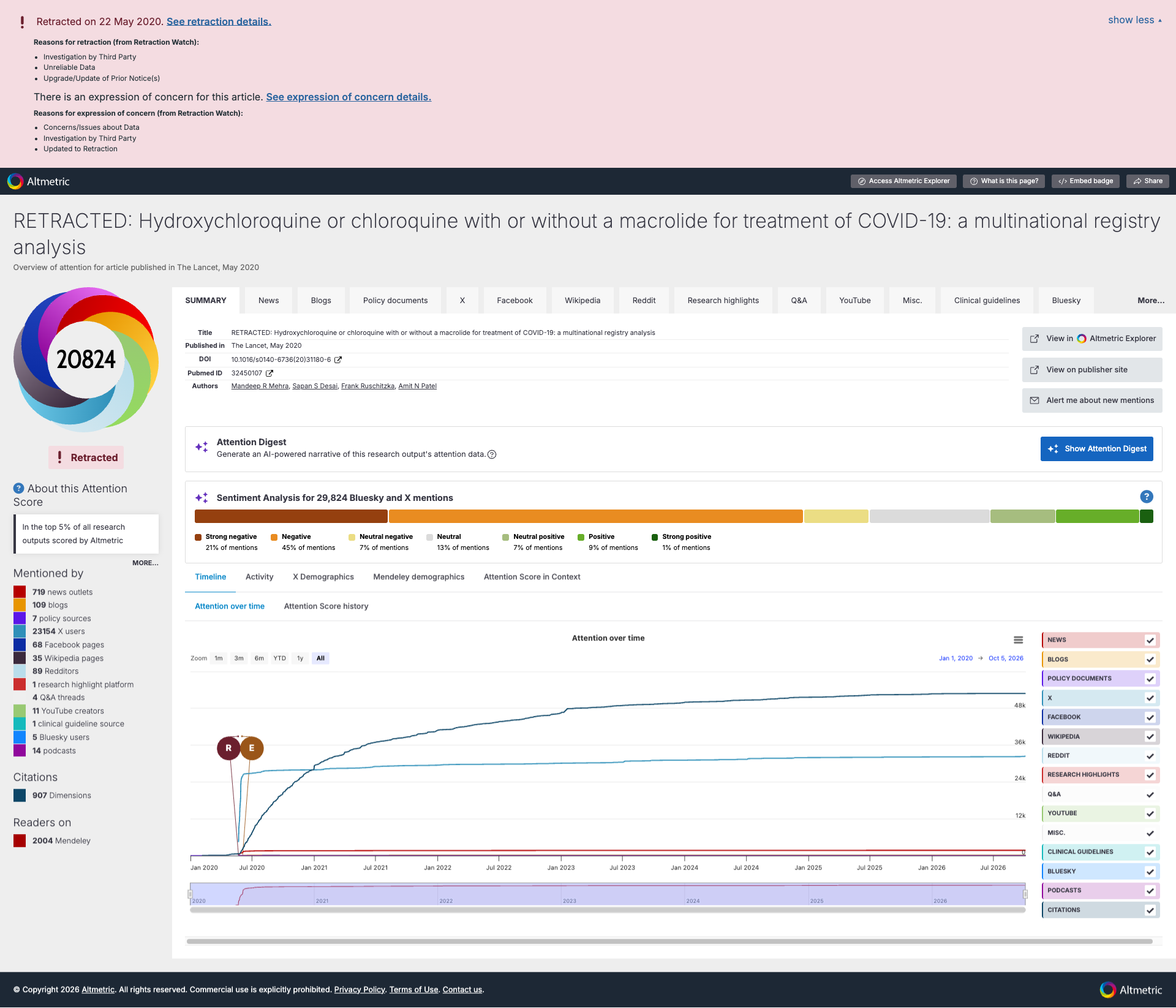
If an output has been retracted, the banner is red, and can be expanded to reveal retraction reasons (where available).
If the output has both a retraction and an expression of concern, selecting "Show more" expands the banner to show both.
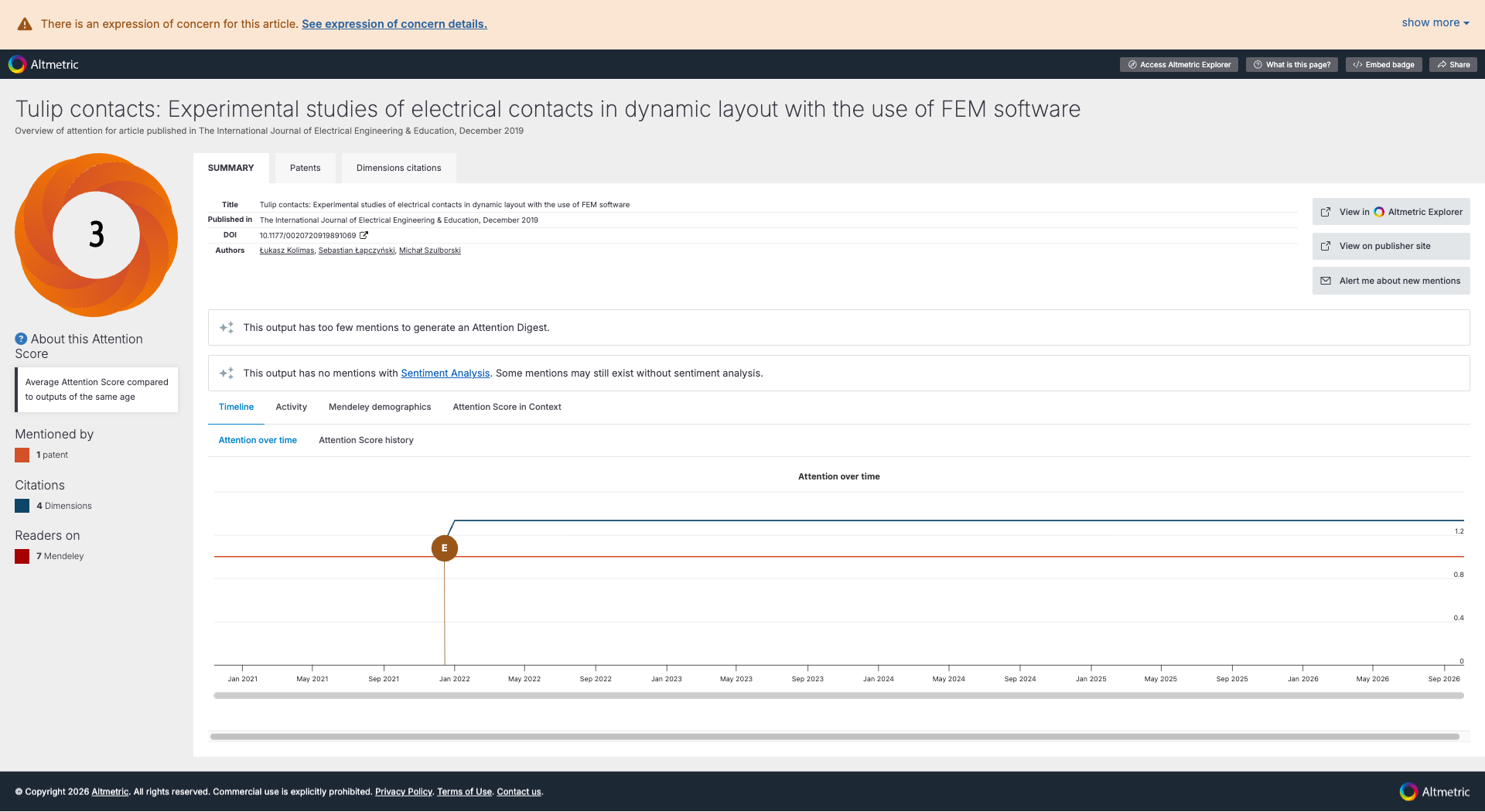
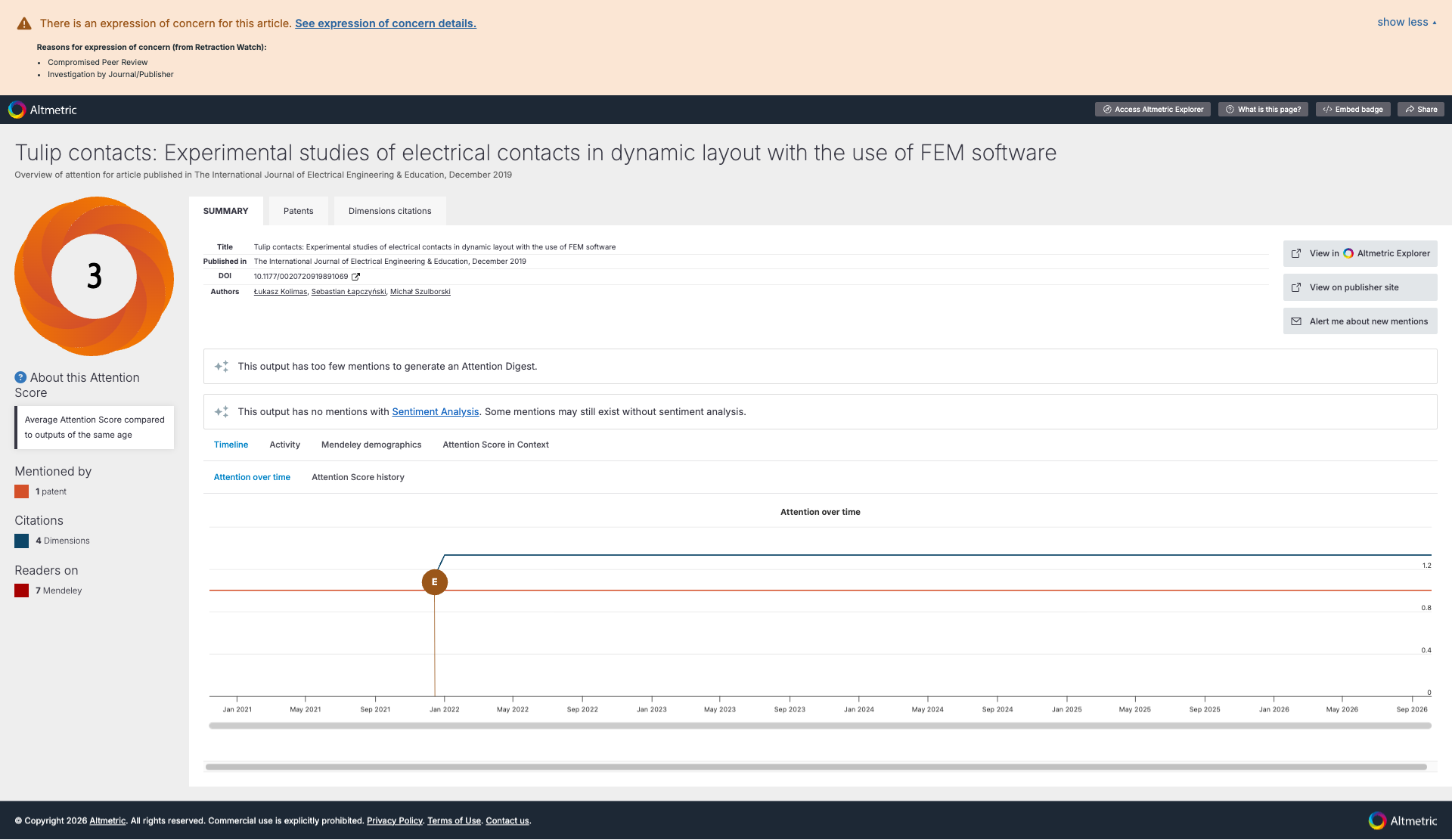
If an output has an expression of concern only, with no retraction, you will see a dedicated orange banner instead.
Expanding a banner shows the date, the reason for the retraction or expression of concern, and a link to the relevant notice on the publisher's website.
On the Details Page timelines (Attention Over Time, Attention Score History, and Mendeley readership history), retraction and expression of concern dates are now marked directly on the charts, so you can see how attention moved around these events. If an event predates the earliest date covered by a particular chart, we have added a note below the chart instead, to make sure it's captured.
Notes on data availability
Only the red "Retracted" flag is used in Explorer, shareable reports, and under the donut on Details Pages. This covers outputs with a retraction, whether or not they also have an expression of concern. Outputs with an expression of concern only won't show a flag in these places, matching the behaviour you already see in Dimensions.
Banner detail varies by output. Not every retraction or expression of concern has a recorded date, reason, or notice link: the level of detail displayed in each banner depends on the source data available for each specific output. A banner with no recorded reason won't be expandable.
The source of our data is the Dimensions dataset; Dimensions source retraction and expression of concern data from CrossRef and Retraction Watch.
Please contact the Altmetric Support team for any further questions, we'll be happy to help!